iCloud calendar on Android
Switched to Android, but your family is still on Apple? KashCal syncs your iCloud calendars with your Android phone, in both directions. It's free and open source, and you don't need a bridge app.
What syncs
When you add or edit an event on Android, KashCal sends it to iCloud right away if you're online. Your partner's iPhone or iPad picks it up from iCloud within seconds. Changes from Apple devices come in when you open KashCal, when you pull down to refresh, and in the background once an hour by default. You can change the interval in Settings.
- Your own calendars
- Calendars shared with you, and Family Sharing calendars
- Calendar names and colors, as set in iCloud
- Event titles, times, locations and notes
- Repeating events, including changes to a single occurrence
- Reminders. On an invite someone else sent you, your reminders stay on this phone.
- All-day and multi-day events
- Time zones
- Meeting invites, guests, and your replies to invitations
Your iCloud contacts can sync too, in both directions. Contact sync is in beta, and you turn it on per account. See Contact sync.
What you need
Apple requires an app-specific password for third-party apps that reach iCloud. Your regular Apple ID password doesn't work. Creating one takes about 30 seconds:
- Sign in to account.apple.com.
- Open Sign-In and Security, then App-Specific Passwords. Create one named "KashCal".
- Copy the 16-character password.
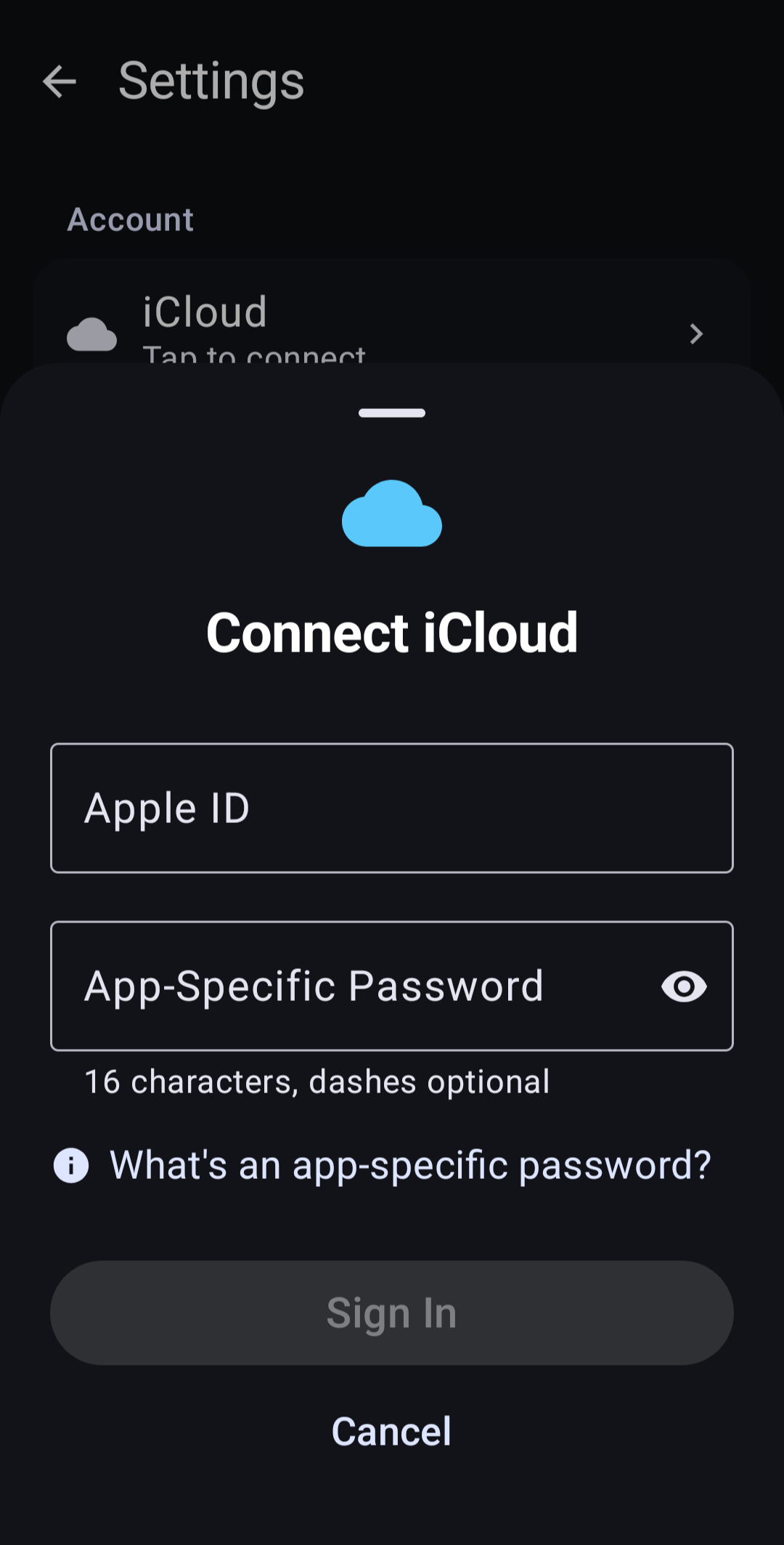
- In KashCal, open Settings, tap Calendar accounts, then tap Add iCloud.
- Enter your Apple ID, paste the password into App-Specific Password, and tap Sign In.
KashCal finds all your iCloud calendars, including the ones shared with you, and starts the first sync. To hide a calendar, tap it in the navigation drawer. The full steps are in Connecting iCloud.
Shared calendars
A calendar someone shares with you works like your own if they gave you edit access. A view-only share is read-only: its events show, but it isn't offered when you pick a calendar for a new event.
Material You
By default, KashCal takes its colors from your Android wallpaper, so the app fits in with the rest of your phone. You can pick an accent color instead. Widgets follow the app's colors unless you set them apart. Light and dark follow your system setting unless you choose one.
No middleman
Your phone talks to iCloud directly over HTTPS. There's no KashCal server in between, because there's no KashCal server at all. Your password is stored encrypted with a key in the Android Keystore, and it's left out of device backups. See Privacy & Security for what leaves your phone.
Common questions
Does KashCal sync iCloud both ways?
Yes. When you add or edit an event on Android, KashCal sends it to iCloud right away if you're online, and iCloud passes it on to your iPhone and iPad. Changes from Apple devices come in when you open KashCal, when you pull down to refresh, and in the background once an hour by default.
Do shared family calendars work?
Yes. Calendars shared with you and Family Sharing calendars show up next to your own. If you have edit access, you can add and edit events on them. A view-only share is read-only in KashCal.
What do I need to connect iCloud?
Your Apple ID and an app-specific password from account.apple.com. Your regular Apple ID password doesn't work, because Apple requires app-specific passwords for third-party apps. Creating one takes about 30 seconds.
Is KashCal free?
Yes. KashCal is free and open source, with no ads, no trackers and no KashCal account. The source is on GitHub, and the app is on Google Play, F-Droid, IzzyOnDroid, GitHub Releases and Obtainium.
Does KashCal send my calendar data to its own servers?
No. There are no KashCal servers. Your phone talks to iCloud directly over HTTPS. Your password is stored encrypted with a key in the Android Keystore, and it's left out of device backups.