See where your time goes
Most calendars show you the future. KashCal also shows you the past.
You already know your Tuesdays are bad. KashCal shows how bad, which days give you a break, and where your longest stretch of open time is. No tracker. Nothing to log. Your calendar is already the log.
Aim it at whatever you want
Insights counts only the calendars you have switched on in the navigation drawer. Turn off your work calendar and you get a window on your personal time. Turn off personal and you see the work view. Leave everything on for the honest picture. Same feature, whichever question you're asking.
What you'll see
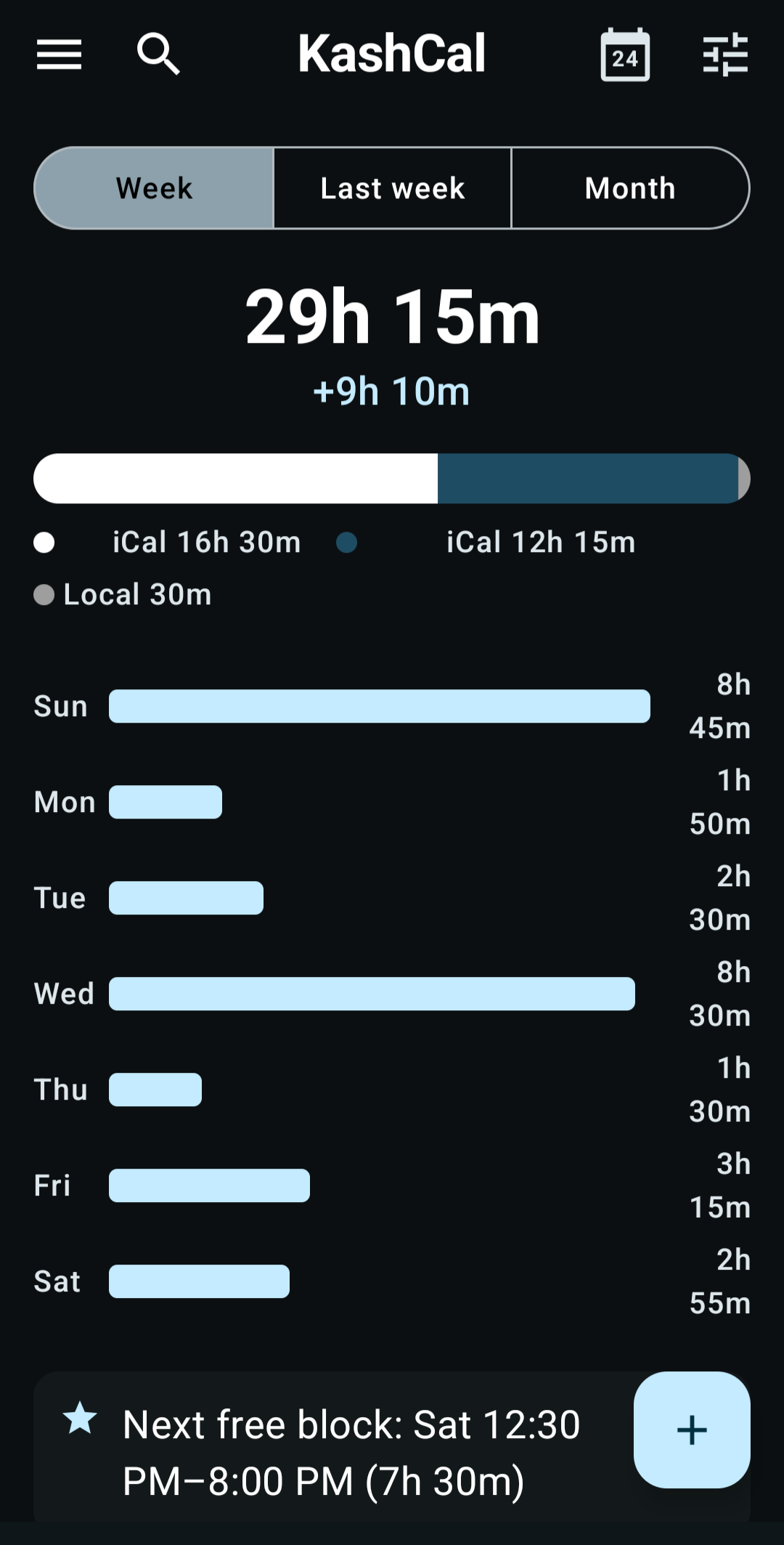
At the top: your total hours of timed events, how many all-day events there are, a bar split by calendar, and a chart of hours per day. On Week, it also shows the change from last week, such as "+2h 30m".
Below that, KashCal picks up to 5 cards, the most notable first:
Tap Week, Last week or Month at the top. See how this week is going, how last week went, or zoom out to the whole calendar month.
The Insights guide has the full rules for each card.
Nothing leaves your phone
The math runs on your device. There's no KashCal server, no cloud, no account to create, no work email required. Free, offline, computed on the phone in your pocket.
Every calendar you have switched on
iCloud, Nextcloud, Fastmail, your KashCal local calendar, an ICS feed of your kid's school year. Your personal Google and Outlook calendars count too, once you turn on device calendars. If a calendar is switched on in the drawer, it counts. If it's off, it doesn't. You're the filter.
A calendar that remembers what you did, not only what's coming, turns out to be the more useful half.
Frequently asked questions
What does KashCal show me about my time?
Your busiest and lightest days, how many events run back-to-back, how many meeting-free days you have, how much of your weekend is booked, how many days start before 8 AM or run past 7 PM, and whether one calendar takes most of your time. It also finds your longest free block, and for the days ahead, previews tomorrow and your heaviest day to come.
Is my calendar data sent anywhere?
No. Everything in Insights is computed on your phone. No KashCal server, no cloud analytics, no account. Insights sends nothing anywhere. See privacy for what the rest of the app sends.
Do I need a work account?
No. KashCal Insights works with any calendar you have switched on in the app: iCloud, Nextcloud, your KashCal local calendar, an ICS feed, or your personal Google account through device calendars. There is no paid tier and no Workspace requirement.
Can I see insights for only my personal calendar, or only work?
Yes. Insights counts only the calendars you have made visible in the navigation drawer. Turn off your work calendar and Insights shows your personal time. Turn off personal and you get the work view. Leave everything on for the full picture.