Insights
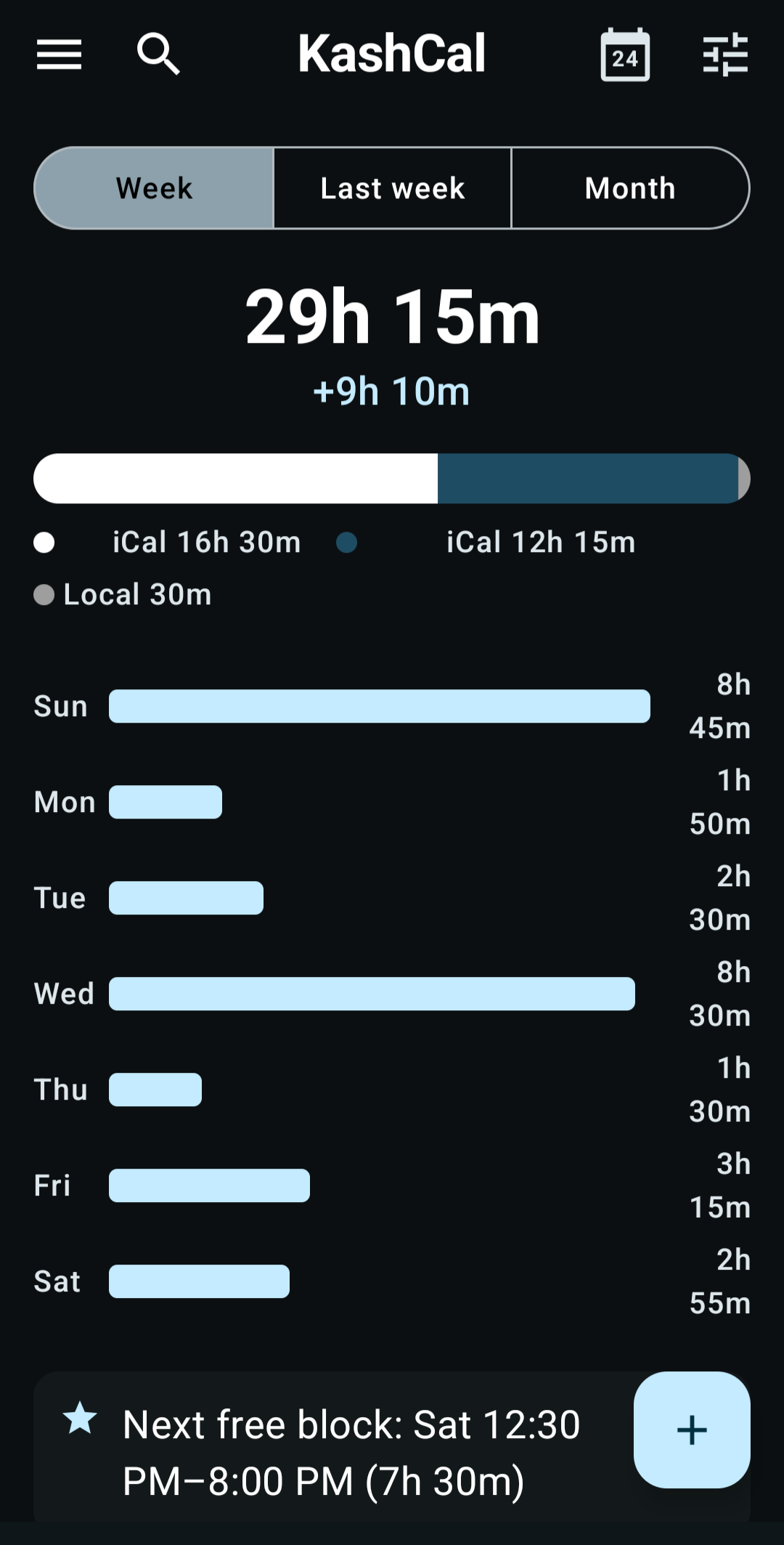
Insights shows how much time your events take and where it goes. KashCal works it all out on your phone and sends nothing anywhere. Open Insights from the navigation drawer.
Pick a period
Tap a chip at the top:
- Week: this week, from your first day of the week.
- Last week: the week before.
- Month: the whole calendar month, including the days still ahead.
The summary
The top of the screen shows:
- The total hours of timed events in the period.
- How many all-day events it has. All-day events don't count toward the hours.
- On Week, the change from last week, such as "+2h 30m", when there is one.
- A bar split by calendar, with each calendar's hours below it.
- A chart of hours per day. Each day's bar is split into your calendars' colors, in the same order as the bar above: from the left on Week and Last week, from the bottom on Month.
Only calendars you've made visible in the drawer count, device calendars included. A period with no events shows "No events scheduled this week".
The cards
Below the summary, KashCal shows up to 5 cards, the most notable first. The cards it can pick from:
- Busiest day and lightest day, among the days that have events.
- Longest free block: your longest gap of 30 minutes or more between 8 AM and 8 PM.
- Weekend load: how much is scheduled on the weekend, or that it's clear.
- Back-to-back meetings: how many events start less than 5 minutes after the previous one ends.
- Calendar share: shown when your events span two or more calendars and one of them takes more than 60% of your time.
- Early starts or late nights: how many days start before 8 AM, or how many run past 7 PM, whichever is more.
- Meeting-free days: days with no timed events.
When the period still has days ahead, you can also get:
- Tomorrow: how much is scheduled tomorrow and when it starts.
- Heaviest upcoming day: the fullest day still ahead.
- Next free block: the longest gap of 30 minutes or more between 8 AM and 8 PM, from today on.
Private by design
Insights reads only the events already on your phone. It never uploads your schedule or sends analytics. See KashCal's privacy approach.
Related
- Share availability: send your free times to someone else
- Calendar views: the seven ways to see your schedule
- Privacy & Security: what leaves your phone and what doesn't