Smart event add
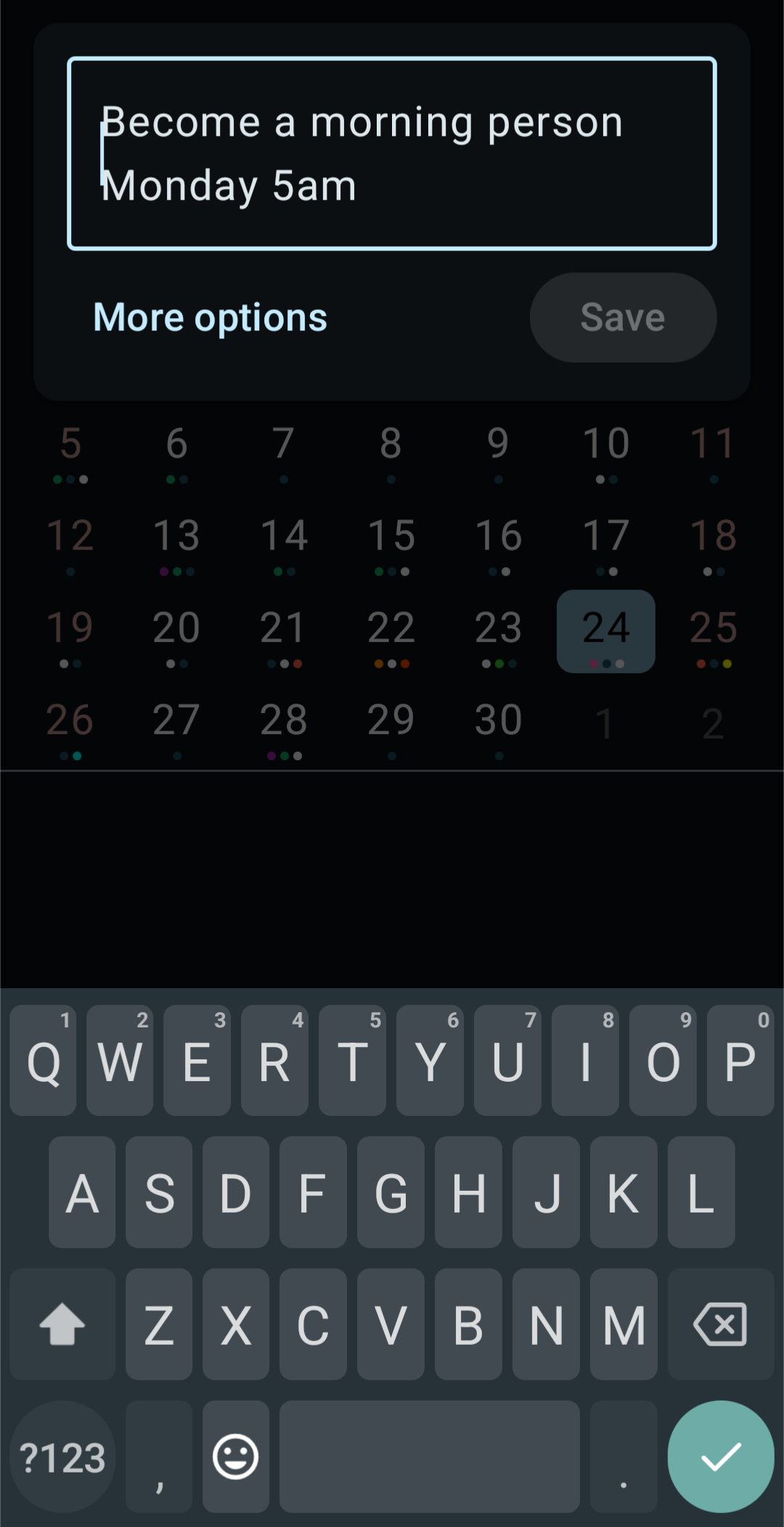
Type an event the way you'd say it, and KashCal fills in the details. As you type, a preview shows what it understood: the title, date, time and more. Check it, then save.
Turn it on
Smart event add is off until you turn it on. Tap Accounts & Settings in the account hub, then switch on Smart event add under Event preferences.
With it on, the + button opens the typing box in every calendar view, including the Day, 3 Days and Week timelines. To open the full form at a set time in a timeline, tap an empty slot on the grid.
The box shows a random example as its placeholder, such as "Coffee tomorrow at 3pm" or "Standup every weekday at 9am".
Here's how KashCal breaks down what you type:
Schematic illustration of the smart event add preview.
Other ways in
With Smart event add on, these open the typing box too. With it off, they open the full event form.
- The Create new event app shortcut (New Event when the launcher shortens it), from a long-press on the KashCal icon.
- The Add event Quick Settings tile.
- The + on the Today's Agenda, Upcoming, Week View or Month View home-screen widget.
Sharing text to KashCal from another app opens the typing box with the text filled in,
whether or not Smart event add is on. The first link in the text becomes the location,
unless the text gives one with at. Editing the text drops the link. Text longer than
500 characters opens the full form instead: the first line (up to 80 characters)
becomes the title, the first link becomes the location, and the whole text goes in the
note.
What you can type
Smart event add reads English words only, whatever language KashCal shows. Numeric
dates and times, such as 2027-01-15 and 15:30, work in any language. Words it
doesn't recognize as a date, time, repeat, location, tag or note stay in the title.
Combine any of these in one sentence.
Dates
- Relative:
today,tomorrow,yesterday,day after tomorrow - Weekdays:
Monday,next Friday,this Wednesday,last Tuesday - Specific dates:
March 15,15 January,15 of March 2027 - Numeric dates:
3/15/2027,2027-01-15
A numeric date such as 5/10/2026, where either number could be the month, follows
your phone's language and region: 5 October where the day comes first, May 10 where
the month does. A date with dots, such as 5.10.2026, is always day first.
If you don't type a date, the event goes on the day you have selected. In the Day, 3 Days and Week views, and for text shared from another app, it goes on the current day.
Times
- Exact:
3pm,3:30 PM,15:30,at 10 15 - Ranges:
2pm to 4pm - Parts of the day:
morning,afternoon,evening,night,tonight - Spoken:
quarter past 10,half past 3,quarter to 5
Duration
for 30 minutes,for 2 hours,for 1.5 hours
"In" and "ago" offsets
in 2 hours,in 3 days,in 1 week2 hours ago,3 days ago
Recurrence
daily,weekly,biweekly,monthly,yearlyevery day,every 2 weeks,every 3 monthsevery Monday,every weekday,every weekend- A weekday of the month:
every 2nd Tuesday,first Monday of every month, orlast Friday of the month, which lands on the last Friday whether that's the 4th or the 5th - The last day of the month:
last day of the month,last day of every month - An end:
until Decemberor5 times
the 2nd Tuesday of this month (this month, not every month) creates one event on that
date, not a repeat.
Location
- Words after
atthat aren't a date or time become the location:Lunch at Olive Garden,Meeting at Conference Room B
Tags
- Put
#in front of a word to add it as a tag:Lunch with Sam #social,Deep work #focus. You can add more than one. The tags don't end up in the title. See Tags.
Notes
- Everything after a space and
//becomes the event's note:Call plumber tomorrow 3pm // ask about the leak under the sink. KashCal reads only the part before the//for the date, time and location, so words in the note don't move your event. Because the space is required, links such ashttps://…stay whole.
Schematic illustration of the smart event add preview.
Examples
| You type | KashCal creates |
|---|---|
Coffee with Kash tomorrow 3pm | "Coffee with Kash", tomorrow at 3:00 PM |
Standup every weekday at 9am | "Standup", repeating every weekday at 9:00 AM |
Lunch with Sam Friday 12:30 for 1 hour | "Lunch with Sam", this Friday 12:30-1:30 PM |
Book club every Tuesday until December | "Book club", weekly on Tuesday, ending in December |
Dentist in 2 weeks at 10am | "Dentist", two weeks out at 10:00 AM |
Deep work 2pm #focus | "Deep work", 2:00 PM on the selected day, tagged #focus |
Team sync last Thursday of the month | "Team sync", the last Thursday of each month |
Rent last day of every month | "Rent", on the last day of every month |
Call Sam 4pm // ask about the invoice | "Call Sam", 4:00 PM on the selected day, with a note |
The live preview
While you type, the preview shows:
- the title, with an emoji in front when KashCal recognizes one and Event emojis is on in Settings,
- the date (Today, Tomorrow, Yesterday, or the date),
- the time range, or All day if you didn't give a time,
- the location,
- the note,
- the repeat pattern, and
- the tags, as chips.
The preview updates as you type. Tap Save, or the keyboard's Done key, to create the event. KashCal saves it to your default calendar with your default alert and jumps to its date. If your default calendar is a device calendar, Save opens the full form instead. For more control, tap More options to open the full event form with what you typed filled in.
The box starts as one line and grows to three as you type, then scrolls, so a long note doesn't push the preview off screen. Entries are capped at 500 characters. A counter appears at 450 characters.
Related
- Creating & editing events: the full event form
- Settings: the default calendar and alerts
- Search: find an event later