Creating & editing events
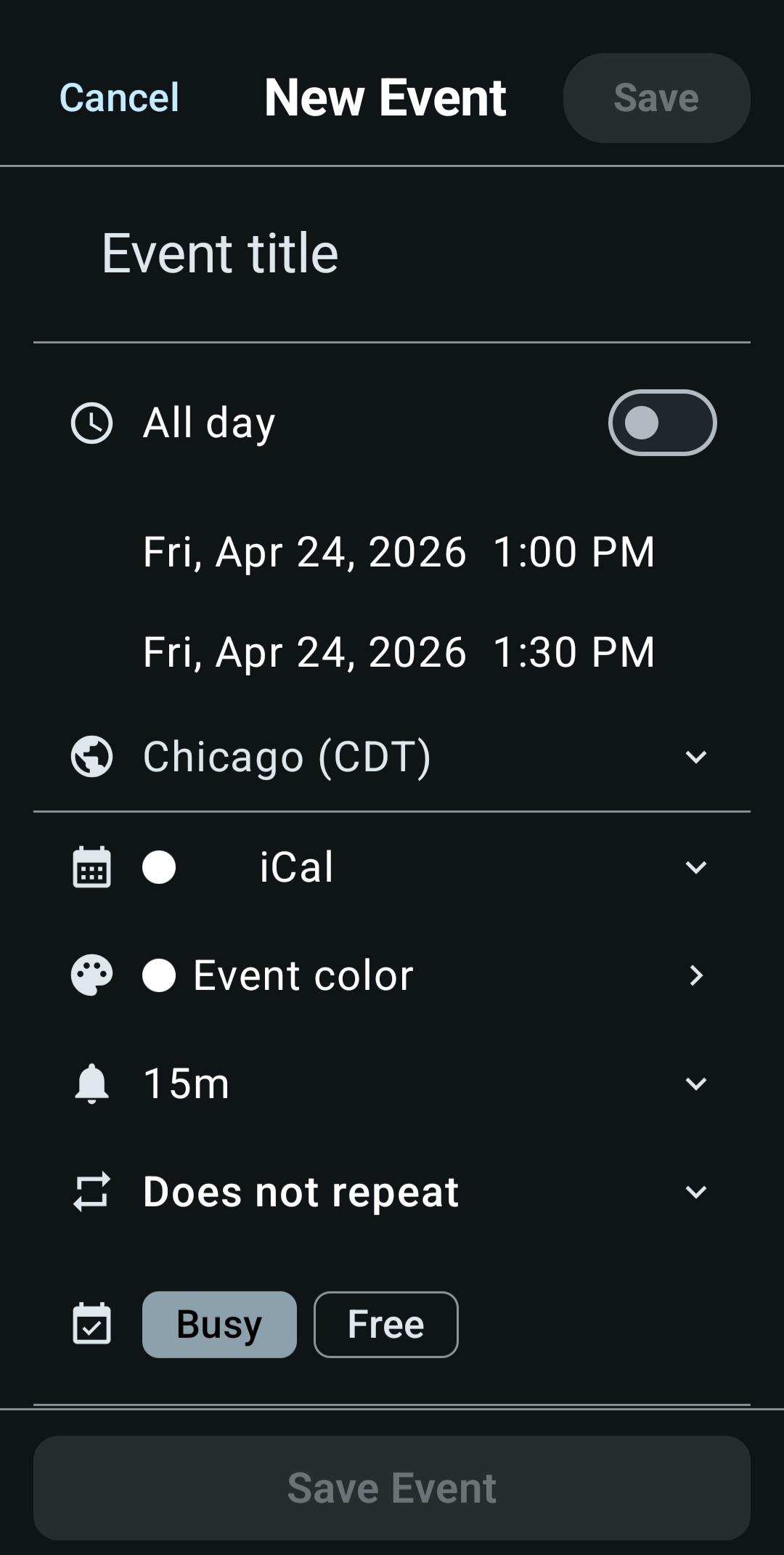
The event form sets every detail of an event on one screen. To create an event, tap the + button, or tap an empty slot in a Day, 3 Days or Week timeline. With Smart event add on, the + button opens the typing box instead of the form.
The form opens full screen. For a new event with an empty title, the cursor starts in the title with the keyboard up. When you edit an event, or the form opens with a title already filled in, the keyboard stays down.
Dragging the form to scroll it closes the keyboard. A drag that starts in the title, location or notes, in a tag name you're typing, or in the After count under Repeat leaves it open, so you can select and edit text.
What you can set
- Title. A long title wraps onto up to four lines, then scrolls inside the field. As you type, KashCal suggests titles you've used before (see Title suggestions).
- Location. An address, room, or meeting link. After you type 5 characters, including a letter, KashCal lists up to 5 matching addresses from Android's address lookup. Phones without an address lookup service show no suggestions.
- Notes. Free-form details for the event.
- Calendar. Which calendar the event belongs to. New events go to your Default calendar unless you pick another.
- Start and end. Pick the date and time, or switch on All day. The time wheel steps in 5-minute increments. To set an exact minute like 3:47, tap the keyboard button and type it. An event on an off-step minute shows its exact time as tappable text. A new event lasts your Default event length, 30 minutes unless you change it in Settings.
- Time zone. Events use your device time zone unless you set another one. One time zone covers both the start and the end.
- Repeat. Make the event recurring. See Recurring events.
- Event color. Give the event its own color. See Event colors.
- Tags. Label the event with colored chips like
#focusor#dentist, with suggestions from tags you've used before. See Tags. - Alerts. Add reminders. See Reminders.
- Availability. Mark the event Busy or Free. Free events don't count as busy time, for example when you share your availability.
- Attendees. Invite people. See Scheduling & invitations.
When you change the start time, the end time moves with it and the event keeps its length. If you set an end time before the start time on the same day, the end time shows this error and the save button stays off until you fix it:
End time must be after start time
KashCal doesn't correct the end time for you.
Title suggestions
Suggest event titles is on by default. Turn it off in Settings. After you type 3 characters, the title field lists up to 5 titles that start with what you typed and that you've used at least twice between 90 days ago and a week ahead, ranked by how often and how recently you used them. Titles from visible device calendars count too. Tap one to fill in the title.
Leaving without saving
If you've changed anything, the first tap on Cancel or back turns the button into Discard?. Tap it, or press back again, to throw away your changes. With no changes, the form closes on the first tap.
All-day events
Switch on All day for an event with no specific time, such as a birthday, holiday, trip or deadline. All-day events have their own reminder options, like "9 AM day of event" (see Reminders).
Actions on an event
Tap an event to open its details. From there you can:
- Tap the edit button (a pencil) to change it. For an event someone else organizes, the same button opens the form, where you can change only your alerts and your reply.
- Tap the delete button (a trash can). For a single event, or an occurrence changed on its own, tap Confirm to finish. For a repeating series, KashCal asks which occurrences to delete.
- Open the three-dot menu for Duplicate, Share as text and Export as .ics. Duplicate on a repeating event opens the form on the occurrence you tapped, with Repeat filled in from the series, so saving creates a separate series. Occurrences you deleted from the original show again in the copy. An occurrence changed on its own, or a date the series adds outside its repeat rule, duplicates as a single event.
- Tap the location to open it in your maps app. If the location contains a link, the tap opens the link.
Events in read-only calendars, such as holiday feeds, show only a duplicate button and a share button.
On an event from a device calendar, these buttons show words in place of icons: Edit, Delete and Share.
Editing recurring events
When you edit or delete an event that repeats, KashCal asks how much of the series to change: this event only, this and all future events, or all events. See Recurring events for the details.
Related
- Smart event add: the faster way to create events
- Recurring events: make an event repeat
- Reminders: get alerted before it starts
- Tags: label events with colored chips